Video Interview Tips: How To Connect Through A Screen
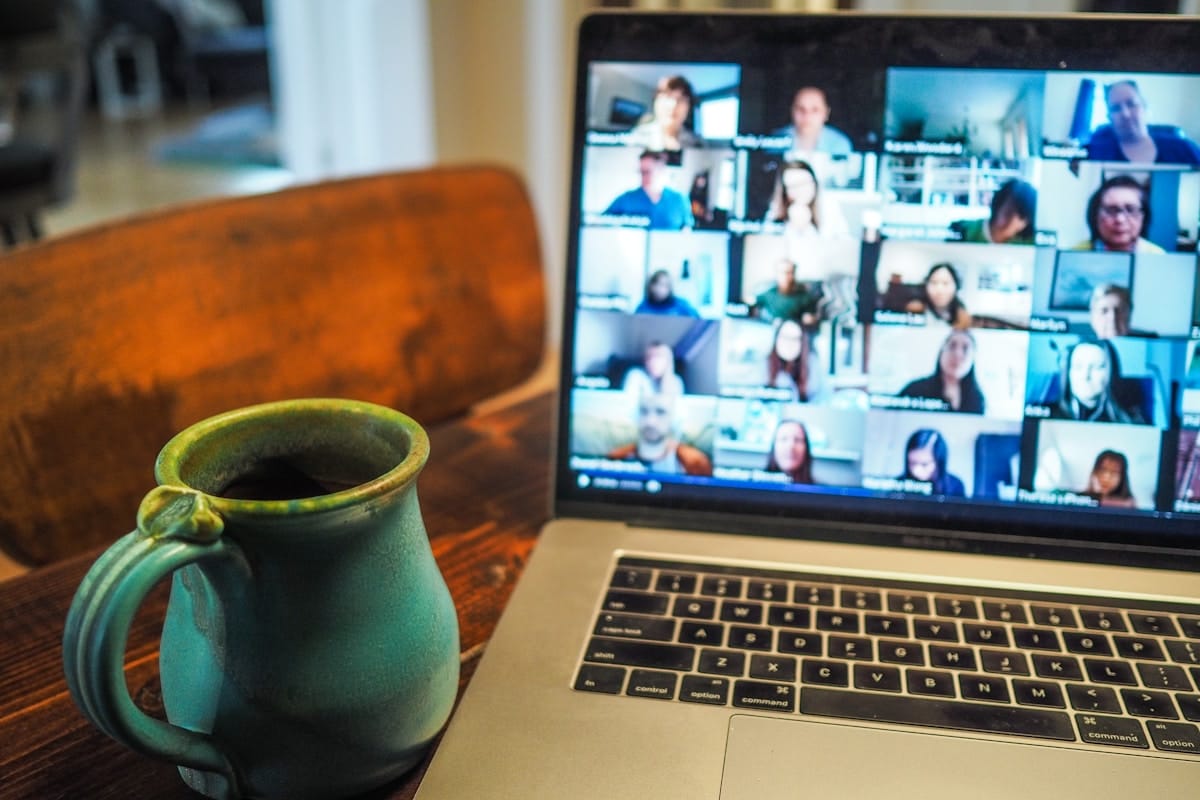
Video interviews are no longer the backup plan. They are how a significant share of first-round and even final-round interviews happen now, across industries, seniority levels, and company sizes. If you are preparing for interviews in 2026, you should assume at least one round will be on camera.
But a video interview is not just an in-person interview on a smaller screen. The dynamics shift. In a conference room, your energy fills the space. On a video call, it gets compressed into a rectangle. Small signals, where your eyes go when you think, how many filler words you use, whether your lighting makes you look engaged or washed out, carry disproportionate weight because the camera amplifies everything the interviewer can see and flattens everything they cannot.
Here is what I have observed after coaching hundreds of candidates through video interviews: the ones who connect well on screen are not doing anything flashy. They are prepared deeply enough that their delivery feels natural. That depth of preparation is the foundation this guide builds on.
The Camera Reveals What You Have Not Internalized
Before we get into the technical setup, one note on presentation: dress appropriately for the role you are interviewing for. This does not mean a suit and tie for every call, but it does mean meeting a professional baseline. If you are interviewing for a finance role, lean more formal. If you are interviewing at a startup, business casual works. When in doubt, dress one level above what you think the team wears day-to-day. Clean, well-fitting clothes that match the context signal that you take the conversation seriously.
Now, here is the principle that underpins every video interview tip worth knowing.
When you are searching for what to say, when you have not fully internalized your stories, your talking points, your answer to "why this company", the camera captures the search in real time. Your eyes drift. Filler words creep in. Your energy drops as cognitive load increases. On a video call, the interviewer's screen is close enough that these shifts are impossible to miss.
The core insight: Eye contact breaks and filler words are not bad habits to fix with tricks. They are symptoms of under-preparation. When you know your material deeply, the symptoms disappear on their own.
This is something I emphasize with every client I coach on video interviews. The fix for looking uncertain on camera is not "look at the camera more." The fix is knowing your material so thoroughly that you do not have to think as hard when delivering it.
There is a reason for this. Internalization is about associating as many senses as you can with the learning process, writing your stories down, typing them up, speaking them out loud. The more senses you engage, the deeper the material goes. When something is truly internalized, recalling it does not require the kind of visible mental effort that cameras pick up.
If you have not already built a bank of stories you can draw from fluidly, start there. The Five Story Method gives you a systematic way to prepare stories that cover the range of behavioral questions you will face, so you are not constructing answers from scratch on camera.
Technical Setup: Get This Right First
Before thinking about presence or rapport, make sure the basics are not working against you. Technical issues do not just create awkward moments, they drain your mental bandwidth, which means less capacity for the conversation itself.
Camera position: Your camera should be at eye level. If you are using a laptop on a desk, that usually means stacking it on books or a box. When the camera looks up at you from below, it creates an unflattering angle and makes you appear to be looking down at the interviewer.
Lighting: The light source should be in front of you, not behind. A window behind you turns you into a silhouette. A lamp or window in front of you illuminates your face evenly. Natural light from a front-facing window is ideal if you have one.
Background: Clean and uncluttered. A plain wall, a bookshelf, or a tidy room all work. Avoid virtual backgrounds, they create visual artifacts around your edges that are subtly distracting throughout the conversation.
Internet connection: Use a wired ethernet connection if possible. If wireless is your only option, sit close to the router and make sure nobody else in the household is streaming during your interview window.
Audio and video test: Run a test call 15 minutes before every interview. Check that your microphone picks up your voice clearly, your camera is positioned correctly, and your audio does not echo. Use your computer's built-in recording app or call a friend.
Close everything else: Shut down all other applications, browser tabs, and notifications. A Slack ping during your answer to "tell me about a time you led through ambiguity" is not the interruption you want.
A quick check: Do a 30-second recording of yourself answering a practice question. Play it back. Can you see your face clearly? Is the audio clean? Is the framing from the chest up? If all three are yes, you are set.
Eye Contact Through a Screen
In a face-to-face interview, eye contact is intuitive. You look at the person. On video, it breaks down, because looking at the person's face on your screen is not the same as looking at the camera lens. When you look at the screen, the interviewer sees your eyes pointed slightly downward or to the side. When you look at the camera, they see direct eye contact.
This is unnatural and takes deliberate practice.
When speaking: Look at the camera lens, not the screen. This is when eye contact matters the most, because you are the visual focus.
When listening: You can look at the screen. The interviewer is talking and your gaze is less central. Use this time to read their expressions and pick up cues you would normally catch in person.
A practical tip: Place a small arrow or dot near your camera lens as a physical reminder to look there when speaking. This is a technique I use with clients in coaching sessions: after a few practice rounds, looking at the camera becomes more natural, but in the beginning, having a visual anchor near the lens keeps you oriented.
Positioning your video window: Move the video call window as close to your camera as possible on your screen. This minimizes the gap between where your eyes naturally want to go (the interviewer's face) and where they need to go (the lens). On many laptops, dragging the window to the top of the screen gets you close.
What I tell my clients: Your eyes reveal when you are processing. The interviewer can see the difference between someone who is thinking through their answer in real time and someone who is recalling something they know well. Internalization is what makes the second version possible. Eye contact is the visible result of that preparation, not a performance technique layered on top.
Body Language and Energy on Camera
On video, the interviewer sees you from roughly the chest up. That limited frame means the signals you do send carry more weight.
Posture
Sit up straight with a slight forward lean. This communicates engagement without looking rigid. Avoid leaning back, it reads as disinterest on camera even if you are perfectly focused.
Hands
Keep your hands visible. Gestures that would feel natural in person still work on video, they add energy and emphasis. Hands hidden below the frame make you look static, which on a small screen can read as flat or disengaged.
Nodding and Reacting
In person, the interviewer gets a full range of visual and spatial feedback that tells them you are listening. On video, they get a small rectangle. Nod when you are following a point. React visibly when something resonates. The interviewer needs that visual confirmation, without it, they are talking into what feels like silence.
Warmth
Smile when it is appropriate. Warmth is harder to transmit through a screen because the nuance gets compressed. A natural smile at the beginning of the call, when the interviewer says something interesting, or when you are wrapping up a strong answer, these moments register.
A pattern I see repeatedly: Candidates who are engaging and expressive in person become noticeably more restrained on camera. They sit still, minimize gestures, and flatten their vocal range. If anything, video requires you to bring slightly more energy than you would in person, not performatively, but enough to compensate for what the medium strips away.
Filler Words Are a Symptom, Not the Disease
"Um." "Like." "You know." "So."
Many candidates treat filler words as a habit to break, as if the solution is catching yourself mid-sentence and stopping. That approach creates a different problem: you become self-monitoring instead of communicating, and the conversation feels stilted.
Filler words are a symptom of under-preparation. They fill the gap between knowing what you want to say and knowing how to say it. When that gap is small, when you have practiced your stories out loud enough times that the words come without searching, pauses replace fillers naturally.
Here is the progression:
- Unprepared: "So, um, I was working on this project and, like, the stakeholders were... you know... kind of all over the place, and I, um, I had to figure out how to, like, get everyone aligned."
- Partially prepared: The content is there but the delivery still requires real-time construction. Fillers decrease but remain.
- Internalized: "I was leading a cross-functional initiative where the stakeholders had competing priorities. I needed to build alignment before we could move forward." Clean. Direct. No fillers, because there are no gaps to fill.
The fix is not awareness. The fix is preparation. Practice your stories out loud, literally speaking them, until the pauses feel comfortable and the fillers disappear. If you are still using filler words, you have not practiced enough. That is not a judgment. It is a diagnostic.
If you are looking for a structured way to prepare and practice your interview stories, the guide on how to prepare for an interview covers the full process from research through rehearsal.
Building Rapport When You Cannot Be in the Room
Rapport is harder to build on video. You do not have the handshake, the walk from the lobby, the small talk while settling into a conference room. You have a screen that activates and a conversation that begins almost immediately.
That compression means the first 30 seconds matter more. Your energy in that opening window sets the tone for the entire conversation.
Open with Warmth and Presence
When the call connects, smile. Greet the interviewer by name. Say something genuine, "Thanks for making the time" or a brief reference to something you noticed about their background. Those first moments are where the interviewer forms an initial impression of what it would be like to work with you.
Use Their Name
Addressing the interviewer by name throughout the conversation creates a sense of connection that video otherwise dilutes. Use it naturally, not after every sentence, but at transition points. "To build on what you mentioned earlier, David" or "David, that connects to something I was thinking about." This is a small thing that registers.
Reference the Conversation
As the interview progresses, reference things the interviewer has said earlier. "You mentioned the team is navigating a reorg, that connects to something I experienced in my last role." This shows you are genuinely listening, not just waiting for your turn to deliver a prepared answer.
End with a Sound Bite
Leave the interviewer with something memorable. The last 30 seconds of a video call are what they carry into their notes. A strong closing, connecting your experience to the specific challenge they described, expressing genuine interest in a particular aspect of the role, gives them something concrete to write down.
Rapport on video is not about being charming. It is about being present. The interviewer can tell when someone is fully engaged versus going through the motions. Presence is a function of preparation, when you are not spending mental energy constructing answers, you have bandwidth to actually connect with the person on the other side of the screen.
For more on how to handle the specific behavioral questions that often come up during these conversations, see the behavioral interview guide.
Four Common Video Interview Mistakes
1. Treating It Like a Phone Call
Some candidates turn off their camera or minimize the video window and treat the interview like a voice conversation. Even when cameras are on, they look at notes off-screen, check their phone, or visually disengage. On video, you are always on stage. There is no off-camera.
2. Reading From Notes
Having bullet points nearby is fine. Reading from a script is not. The interviewer can see your eyes scanning left to right. It flattens your delivery and breaks the conversational flow. If you need notes, use them as a safety net, a few keywords on a sticky note near your camera, not a teleprompter.
3. Ignoring the First 30 Seconds
Jumping straight into business without establishing any human connection. The interviewer has back-to-back video calls. A candidate who opens with warmth and energy stands out against a sea of flat, transactional openings.
4. Not Testing the Technology
Assuming everything will work because it worked last time. Audio settings change. Software updates happen. Bluetooth headphones disconnect at the worst moment. Test everything 15 minutes before every interview, every time.
Frequently Asked Questions
How early should I log into a video interview?
Two to three minutes before the scheduled time. This gives you a buffer for any last-second technical issues without sitting in a waiting room for 10 minutes wondering if you are in the right place. Use the extra moment to take a breath, check your framing, and get centered.
Should I use a virtual background?
No, in most cases. Virtual backgrounds create visual artifacts, parts of your hair or hands disappear, edges shimmer, and the overall effect is subtly distracting. A clean, simple real background is better. If your space is genuinely unworkable, a lightly blurred background is a better option than a virtual image.
What if there is a technical problem during the interview?
Stay calm and communicate clearly. "It looks like my audio dropped, let me reconnect quickly." Interviewers understand that technology is imperfect. How you handle a technical glitch actually tells them something about how you handle unexpected problems. Do not panic, do not over-apologize, and do not let it throw off your energy for the rest of the conversation.
Is a video interview harder than an in-person interview?
It is different, not harder. Some elements are more challenging, reading body language, building rapport, maintaining energy. Other elements are easier, you are in your own space, you can have discreet reference notes, and you do not have to navigate an unfamiliar office. The candidates who do well on video are the ones who prepare for the medium specifically, rather than hoping their in-person skills will transfer automatically.
How do video interview tips differ from phone interview tips?
The core preparation is the same, internalize your material, practice out loud, know your stories cold. The difference is that video adds a visual dimension. Your body language, eye contact, lighting, and facial expressions all become part of the conversation. On a phone screen, you are evaluated entirely on your voice and content. On video, you are evaluated on presence as well. For phone-specific guidance, see phone interview tips.
Your Next Step
Pick one of your go-to interview stories and record yourself delivering it on video. Use your phone, your laptop camera, or a video call with a friend. Play it back and watch for three things: where your eyes go when you are thinking, how many filler words show up, and whether your energy comes through the screen.
That recording will tell you exactly where you stand. If your eyes stay steady, your delivery is clean, and your energy reads well, you are prepared. If not, the recording just showed you what to work on. Either way, you are ahead of every candidate who walks into a video interview without ever having seen themselves on camera.
Founded by Jeevan Balani, a former McKinsey and Accenture consultant and fractional growth leader at MasterClass, Outschool, and other startups. The frameworks on this site are drawn from hundreds of real coaching sessions with professionals at every career stage. Learn more · LinkedIn